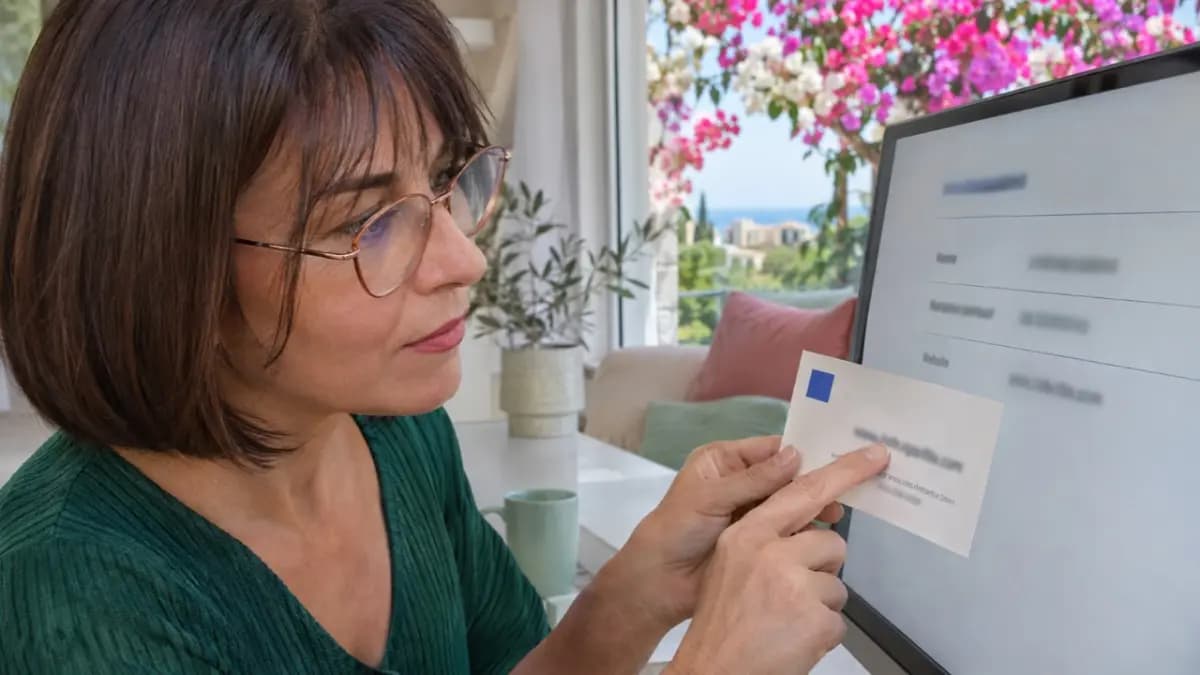
To check an investment firm, find its legal name in the official register, match the licence number and authorised services, then check its website and contact details separately. Confirm the sender’s identity through the firm’s official contact channels.
This establishes which legal entity provides the service and what it is authorised to do on the date you check. Assess the investment’s potential returns and risks separately.
This guide covers the Republic of Cyprus and investment services in the EU context. Check the details again before signing a contract: a firm’s status and the conditions of its authorisation can change.
1. Identify the service and the party to the contract
Before searching, ask for a draft contract and note the provider’s full legal name, company registration number, stated licence number, service offered and website address. Record its trade name and your country of residence separately. If the firm serves clients outside the country where it is authorised, also check whether it may provide the proposed service to you.
CySEC is the Cyprus Securities and Exchange Commission. For a Cypriot investment firm, it is the starting point for checking authorisation to provide investment services and any related restrictions. Investment firms, funds and estate agencies require different checks. Choose the route that matches the subject of your contract.
- Services from a Cypriot investment firm. Start with the register of Cypriot investment firms. Check the particular service being offered: a licence lists specific authorised services.
- Services from a firm in another EU member state. Use the section for firms from EU member states and the register maintained by the regulator in the country that granted the authorisation. Cross-check through the European Securities and Markets Authority (ESMA).
- Units or shares in a fund. Find the relevant CySEC list: Alternative Investment Funds (AIFs), Registered Alternative Investment Funds (RAIFs) or Undertakings for Collective Investment in Transferable Securities (UCITS). Then check the fund manager. A fund and an investment firm have different types of register entries and authorisations.
- Buying an apartment or plot of land directly. Check the seller, intermediary and rights to the property separately. For an estate agency, start with the Council of Real Estate Agents. Property rights and encumbrances are checked against property documents; the intermediary’s authority is checked against its registration and licence.
The categories are available in CySEC’s investment firms section. Funds have separate lists: for example, the register of RAIFs includes the registration number and manager. The official Business in Cyprus portal explains how to check an estate agency.
For example, an offer to “invest in property” could mean buying an apartment or buying units in a fund. Buying a unit gives you an interest in the fund; buying an apartment directly gives you rights to a specific property. If the contract does not make clear what rights you are acquiring, first review the documents with a lawyer who specialises in the relevant area. Choose the register based on the subject of the contract and the rights you are acquiring.
2. Find the entry by legal name and number
Open CySEC’s official list of Cypriot investment firms yourself. Check the regulator’s website address: cysec.gov.cy. Treat a screenshot supplied by the service provider only as a starting point for your search.
Find the full name shown in the contract. Match it against the entry, then check two numbers separately:
- the licence number;
- the legal entity’s registration number.
The registration number identifies the legal entity; the licence number relates to its authorisation to provide investment services. Check each independently.
If the trade name differs from the legal name, establish how it is linked to the contracting party. Check each company’s authorisation within the group separately. An advertisement may name a Cypriot legal entity while the contract names another organisation. In that case, start your checks with the organisation named in the contract.
If you cannot find an entry, check the spelling, any former name and the country that granted the authorisation. For a firm from another EU member state, use the relevant CySEC section and that country’s regulatory register. ESMA’s guide to checking whether a firm is regulated provides an additional route.
If the search returns no result, confirm the legal name and that you are using the right register. Until you find the entry, the firm’s authorisation remains unconfirmed. If the register will not open, try again later or ask the regulator for clarification. A search engine snippet does not replace the register entry.
3. Check the status and authorised services
The firm’s name in the main list links to its detailed entry. Open it and look for the authorised services and restrictions. If these are missing from the accessible entry, use the document specified by the regulator or request clarification. Establish the scope of authorisation from the information on services and restrictions.
If the detailed entry will not open, record that the service check is incomplete.
Read the available notes, restrictions and related decisions. The entry’s status and regulatory decisions currently in force matter when assessing what the firm may do today. Historical information also appears in the list of former investment firms.
Compare the proposed service with the scope of authorisation. Section 6 of Law 87(I)/2017 ties the licence to the investment and ancillary services specified in it. For example, managing your portfolio requires authorisation for that service.
Record the exact wording of the service and a link to the supporting document. If the information is unavailable or requires interpretation, record the outcome as “authorisation not established”. Ask the firm to identify the relevant provision in its authorisation and verify it independently.
Read status notes in full. For example, the review of a voluntary renunciation of authorisation and a completed withdrawal are different stages. Whether a particular action is permitted needs to be checked against the applicable regulatory decision.
4. Check the website and contacts: a genuine licence can be copied
Open CySEC’s list of approved website addresses. Find the relevant legal entity and compare the listed address with the address in the offer. Check the full address, including any path shown. An extra word or hyphen may take you to a different website.
Next, use the telephone number or email address in the official entry to contact the firm independently. Ask whether the website belongs to it and whether its representative actually sent the offer. Use a number obtained from an official source for this check.
CySEC recommends checking contact details and warnings in its guidance on how to avoid investment scams. A website impersonating a licensed firm may copy the genuine firm’s name and licence number while substituting different contact details.
The name and licence number match, but the website does not
Imagine you receive a message claiming to be from “Firm A”, quoting licence number N. The firm and addresses in this example are fictional.
- Legal entity: both the example entry and the offer name “Firm A”. The name matches.
- Licence: both quote the example number N. The number matches.
- Website: the example entry lists firm-a.example, while the offer uses firm-a-invest.example. The addresses differ.
- Telephone: the number in the message has not yet been checked against the official entry. The sender’s connection to the firm still needs to be established.
Even though the name and number match, the website needs a separate check. Do not transfer money or send additional documents until the discrepancy is clarified. Save the message and use the official contact details to ask whether the sender is connected to the firm.
The appropriate conclusion is “the contact’s connection to the firm has not been established”. One mismatch is not enough to make a public accusation of fraud: a possible change of address also needs independent confirmation.
5. Check warnings and resolve discrepancies
Search for the legal name, trade name and website address in CySEC’s warnings and its list of non-approved website addresses. Read any warning you find: the specific address, entity and circumstances it concerns matter.
Within the warnings section, select notices issued by CySEC. The warnings list supplements checks of the licence and contact details. If the list will not open, try again later or ask the regulator for information. Until you gain access, this part of the check remains incomplete.
If the details do not agree:
- Pause any money transfer, contract signing or submission of additional documents.
- Save the offer, correspondence, website address and official entry pages, together with the date you viewed them.
- Request an explanation through an official contact for the firm that you found independently.
- If the discrepancy remains, seek clarification through CySEC’s contact channels. Describe the facts: which details match, which differ and where you found them.
If the dispute concerns a service you have already received from a Cypriot investment firm, follow CySEC’s published complaints procedure: complain to the firm first, then use the applicable dispute resolution routes, which may include the Financial Ombudsman or the courts. Check the conditions and time limits for your case. CySEC uses reports in its supervisory work. Individual compensation is considered separately through the applicable dispute resolution procedure.
6. Record the findings and the limits of the check
Keep a record so you can return to the sources and clarify disputed details before signing a contract. Save links, copies of pages and the date you viewed them. Note the list or document’s update date separately. If you are unsure whether the status is current, ask the regulator.
- Offer. Record the service, your country of residence and the contracting party.
- Legal entity. Record the full name, registration number and, separately, the trade name. Mark whether the details match, differ or have not been established.
- Authorisation. Save the entry type, licence or registration number and source link.
- Service. Copy the wording of the authorisation and identify the supporting document. Mark whether authorisation is confirmed, the information conflicts or there is insufficient information.
- Status. Save the complete status note, restrictions and related regulatory decision.
- Website. Record the address in the offer, the address in the official list and the comparison result.
- Contacts. Record where you independently obtained the telephone number or email address and the firm’s response.
- Warnings. List the sources checked, search terms used and notices found. Distinguish between “found”, “not found in the sources checked” and “could not access”.
- Check date. Record when you reviewed the information and the update date shown by the source. Check again before the transaction.
- Next action. Record the unresolved question, who has been asked to address it and what response is needed before proceeding.
You should now have information about the legal entity, its authorisation and contacts, along with a list of questions still to resolve. Then assess the terms and risks of the investment itself.
Review the product’s risks, fees, exit terms and suitability for your circumstances. The European Commission explains that investor compensation schemes cover certain situations in which client assets cannot be returned; they do not cover ordinary falls in investment value. Eligibility for compensation in Cyprus requires a separate assessment of the applicable rules and circumstances.
Before proceeding, make sure that:
- the contracting party is the legal entity you checked;
- you have compared the proposed service with the authorisation and its restrictions;
- you have checked the website and contact independently of the promotional message;
- you have recorded the warning search results without overstating what they establish;
- material discrepancies concerning the legal entity, authorisation, website or contacts have been resolved, and the information has been checked again before you act.
If a material discrepancy remains or authorisation has not been established, do not transfer money, sign the contract or send additional documents until the issue is clarified.